









Function canceled
Function canceled


 Lyngsat
Kingofsat
Dishpointer
DVBSkystar.com
satbeams.com
CS Sat fórrum
Parabola
DVB-Upload
DVB N Forum
dvhk.pl
sat-television
Sat Centrum
SkyStar.org
TV Freak
Technisat
techneteuweb
Jak psat web
Jak na web
Zive.cz
Interval
O webu
Webguru
Builder.cz
Linuxsoft.cz
Tutorials.cz
web.net-mag.cz
Kosek.cz
webtvorba.cz
CSS Creator
samples.cz
programujte.com
builder.cz
časopis.programátor
učebnica c++
Odkiaľ je IP
Uč sa Anglicky
Speedtest
Otestujte sa
Lyngsat
Kingofsat
Dishpointer
DVBSkystar.com
satbeams.com
CS Sat fórrum
Parabola
DVB-Upload
DVB N Forum
dvhk.pl
sat-television
Sat Centrum
SkyStar.org
TV Freak
Technisat
techneteuweb
Jak psat web
Jak na web
Zive.cz
Interval
O webu
Webguru
Builder.cz
Linuxsoft.cz
Tutorials.cz
web.net-mag.cz
Kosek.cz
webtvorba.cz
CSS Creator
samples.cz
programujte.com
builder.cz
časopis.programátor
učebnica c++
Odkiaľ je IP
Uč sa Anglicky
Speedtest
Otestujte sa

Basic installation of SkyView
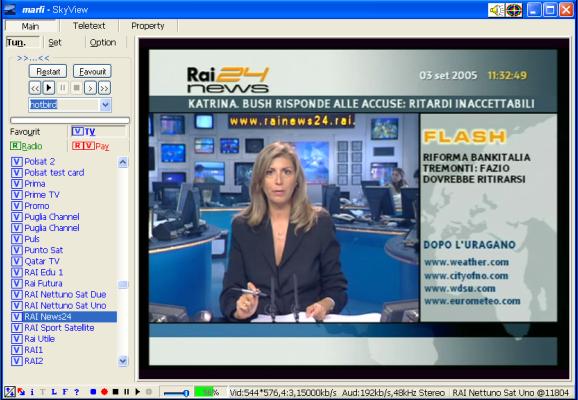
SkyView is software used for watching digital satellite television and radio. It is user‑friendly and offers many features. It is slightly different from other players, but I think it is necessary to learn and work a bit differently with another type of software.

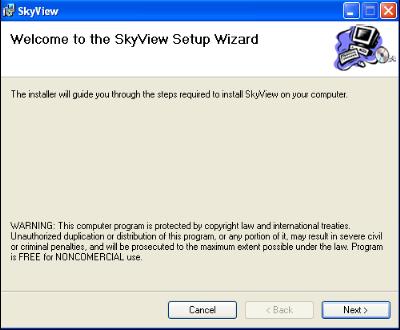
After clicking the installation file, a window appears where the installation wizard welcomes us. At the bottom of the window there is a notice (Warning). The program is free if used for non‑commercial purposes.

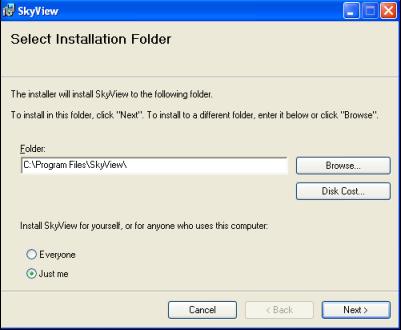
Selection of the installation directory. By default, as you can see in the picture, it is “c:/Program Files/SkyView/”. I personally prefer “c:/SkyView” (because I can access the directory faster when editing some file), but it does not matter where you put it.

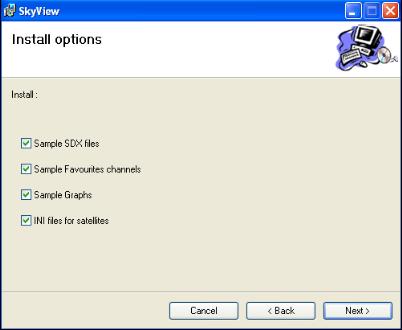
In this window you can select all items. The program will install SDX files, which contain stored channels (I think SDX files are only for Astra and Hot Bird, other SDX files can be downloaded from the satcodx website). It also installs the favorites card, graphs, and ini files for satellites.

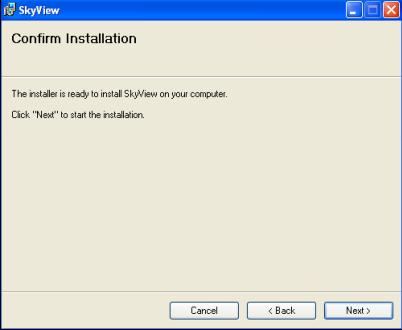
Next. The installation process begins. And when everything is installed, you can start watching. You can place the icon on the desktop (because the installer does not offer a “desktop icon”) for faster access to the program.
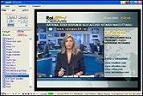
Very simple, right? If I ever have the mood and time, I might also write an article about configuring the program and briefly describe some of its features (it is very rich in functionality). This program is one of the most stable ones (I tested several versions, but only two worked well for me).
Official website: www.skyview.pl